Home > FlexCMS Training Manual > Newsletter > Compose New Message

Compose New Message

Posted: August 10th, 2005 @ 5:37pm
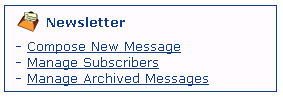
In order to send a newsletter message to your subscribers, you'll need to access your FlexCMS Control Panel. Scroll down until you see the Newsletter menu (see below). The menu options allow you to Compose new newsletters, Manage your subscribers and Manage Archived Messages you've sent to date.
Compose New Message
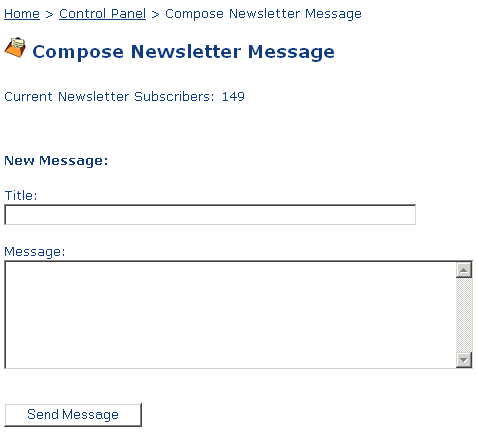
To compose a new message to your subscribers, simply click on the Compose New Message link (see above) under the Newsletter menu. Once you click on that link, you will see the following:
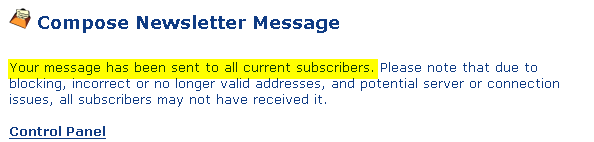
Next, fill in the Title and Message area with your newsletter text. Then click on the Send Message button and your newsletter will instantly be sent (see image below) to your list of subscribers.
NOTE: Once you click on the Send Message button, your newsletter message is automagically saved to your Newsletter Archived Messages page and will be displayed for all your visitors to view immediately.